Context follows the conversation
Switching customers refreshes the panel, avoiding leftover visual information from the previous conversation.
ClientOps Sidebar · Customer Success · Operations
Customer information, follow-ups and next steps beside the conversation. A demonstration of bringing information closer to action.
Try it in your browser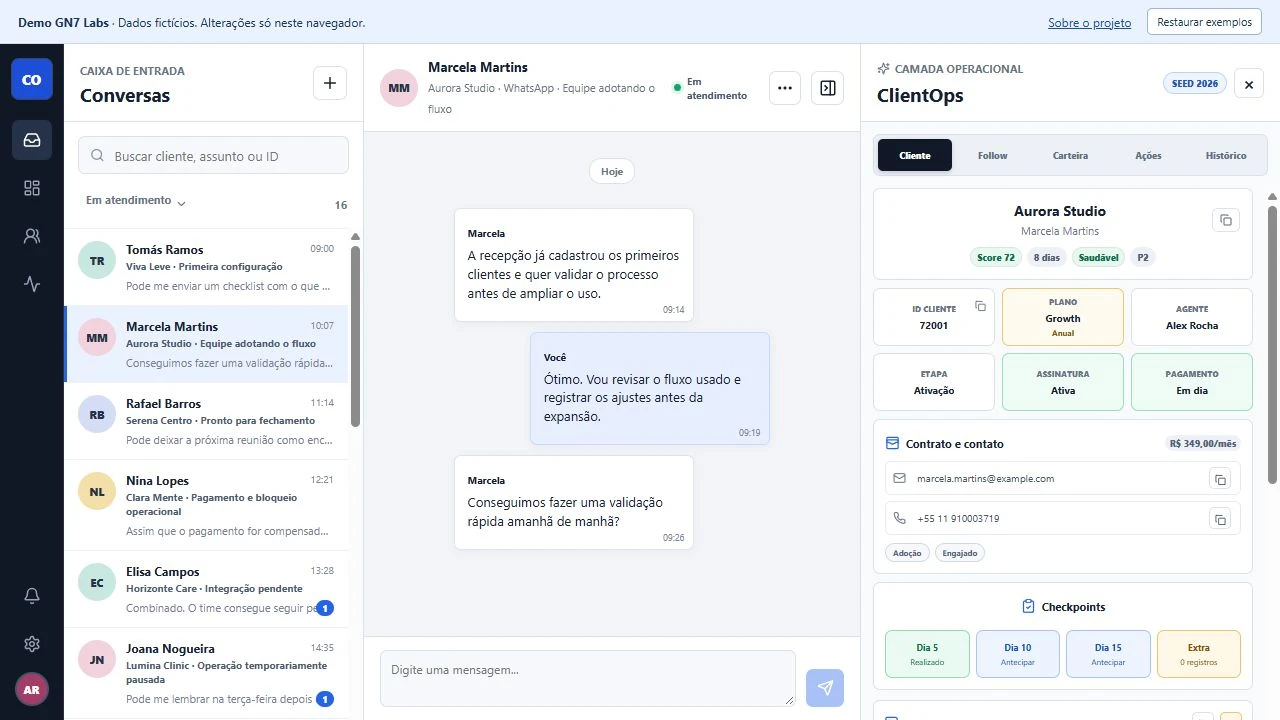
During a support conversation, context is often scattered: the contract in one screen, notes in another, next steps in someone’s memory. Switching between tools makes continuity harder.
Customer Success, onboarding and support teams that need to follow up with customers without losing the context of a conversation.
A demo CRM with a contextual panel: contract, plan, account health, checkpoints, notes and history follow the selected conversation. Scheduling, tickets and sales handoffs explore continuity across teams.
Switching customers refreshes the panel, avoiding leftover visual information from the previous conversation.
Checkpoints and history distinguish completed, upcoming and missed actions. Notes keep relevant context at hand.
Deterministic data and local storage make the workflow explorable without an account, external API or real customer data.
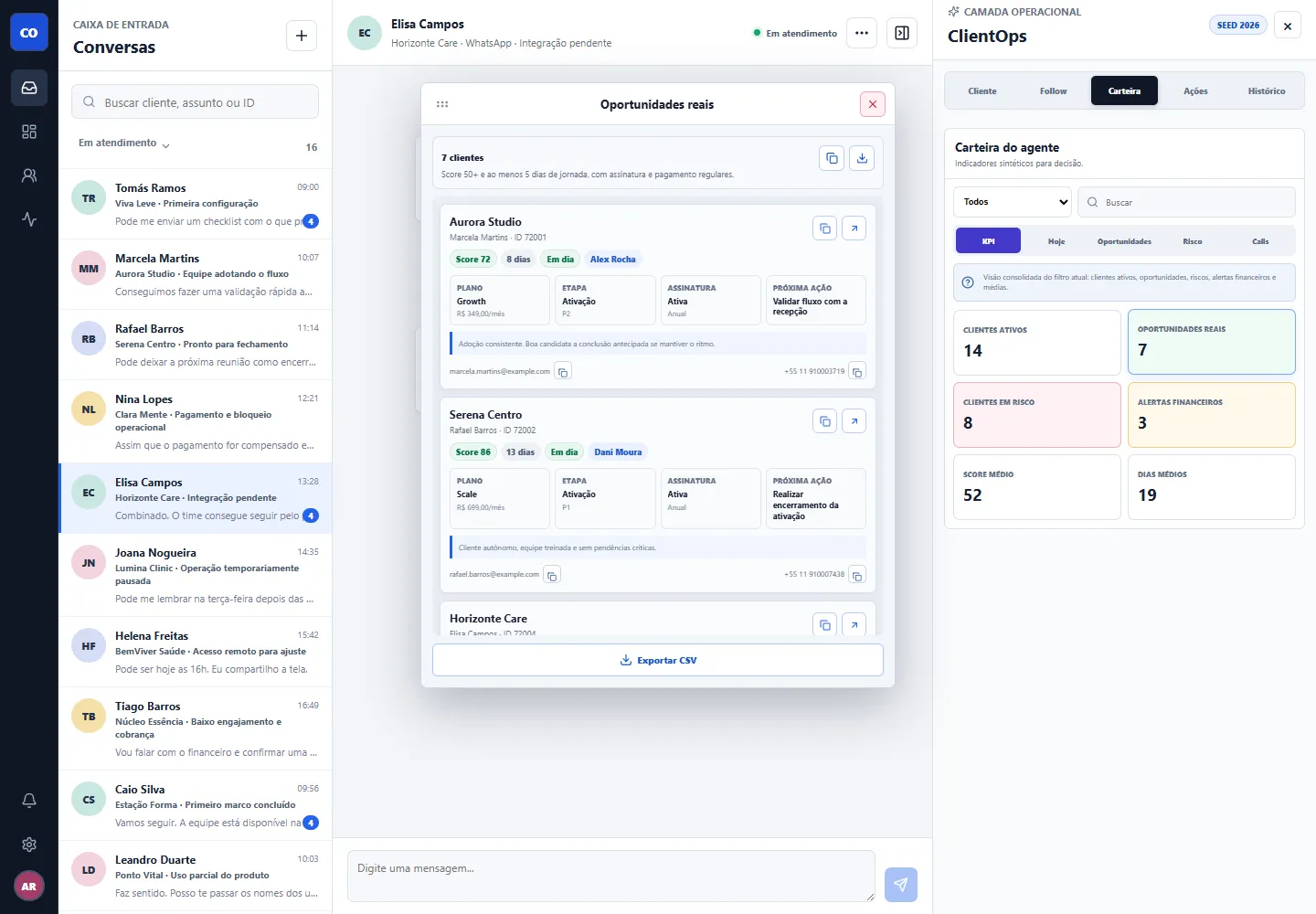
Concept based on CS workflows, follow-up flow design and implementation with AI assistance. Validation across conversations, records, reminders and mobile screens.
The web demo needs no installation. On desktop Chrome, the optional extension demonstrates conversation context and notification reminders.
Download extension · v0.3.1Manual installation; not listed in the Chrome Web Store. Runs only on clientops.gn7labs.tech. Reminders require Chrome to be running and system notification permissions. There is no Google Calendar synchronization.
To uninstall, open chrome://extensions and click “Remove” on ClientOps Sidebar Demo.